General preparations


|
General preparations |
|
|
Directories
To reach a good result quickly and effectively, you can make some small preparations beforehand. It is wise to create a folder (e.g. pictures) and maybe divide it into sub folders. Here you put your images, sorted by your own criteria. AquaSoft ® SlideShow XP five & Studio saves an image list and keeps an eye on all specified directories.
Image format
A thought to the image format. The standard on the Internet and for digital cameras is the JPEG format. In contrast Windows traditionally saves images in the BMP-Format. The difference lies in the compression, meaning the relation between disk space and image quality. For a normal slide show it is best to save the images in JPEG. This way you save enormous amounts of space, while almost never seeing a difference in quality on screen. As a rule of thumb holds that the BMP-format needs about 6 times the space of the JPEG-format. This becomes especially important when you are planning a huge slide show, concerning the number of images.
If you want to use background music or spoken commentary in your slide show, you should keep in mind that one minute of music or speech in WAV-format takes up around 10 MB of disk space. Here too hold that the MP3-format saves space in contrast to the WAV-format, but higher compression may lower the sound quality.
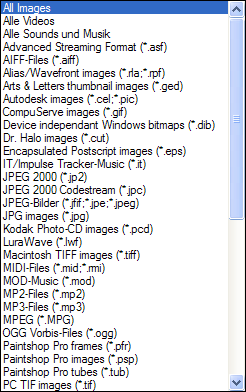
AquaSoft ® SlideShow XP five & Studio supports i.a. the following image formats:
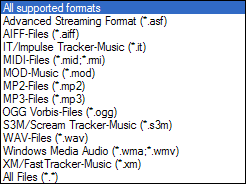
For background sound you can use the following file formats:
Please note that MID- and RMI-files cannot be used when exporting videos with the video wizard.
|
| Copyright © AquaSoft ® 1999-2007 www.aquasoft.de |