|
<< Click to Display Table of Contents >> Working with variables |
  
|
|
<< Click to Display Table of Contents >> Working with variables |
|
In AquaSoft Vision you can embed EXIF and IPTC data into your project. This data contains information derived from your camera. Also, information that you have assigned to the image in an external program and which can now be found in the image properties, can be used (click the right mouse button on an image file in Windows Explorer / Properties / Details select).
VIDEO VISION STAGES You can view the file information for a selected object by going toView / Controls / Metadata.
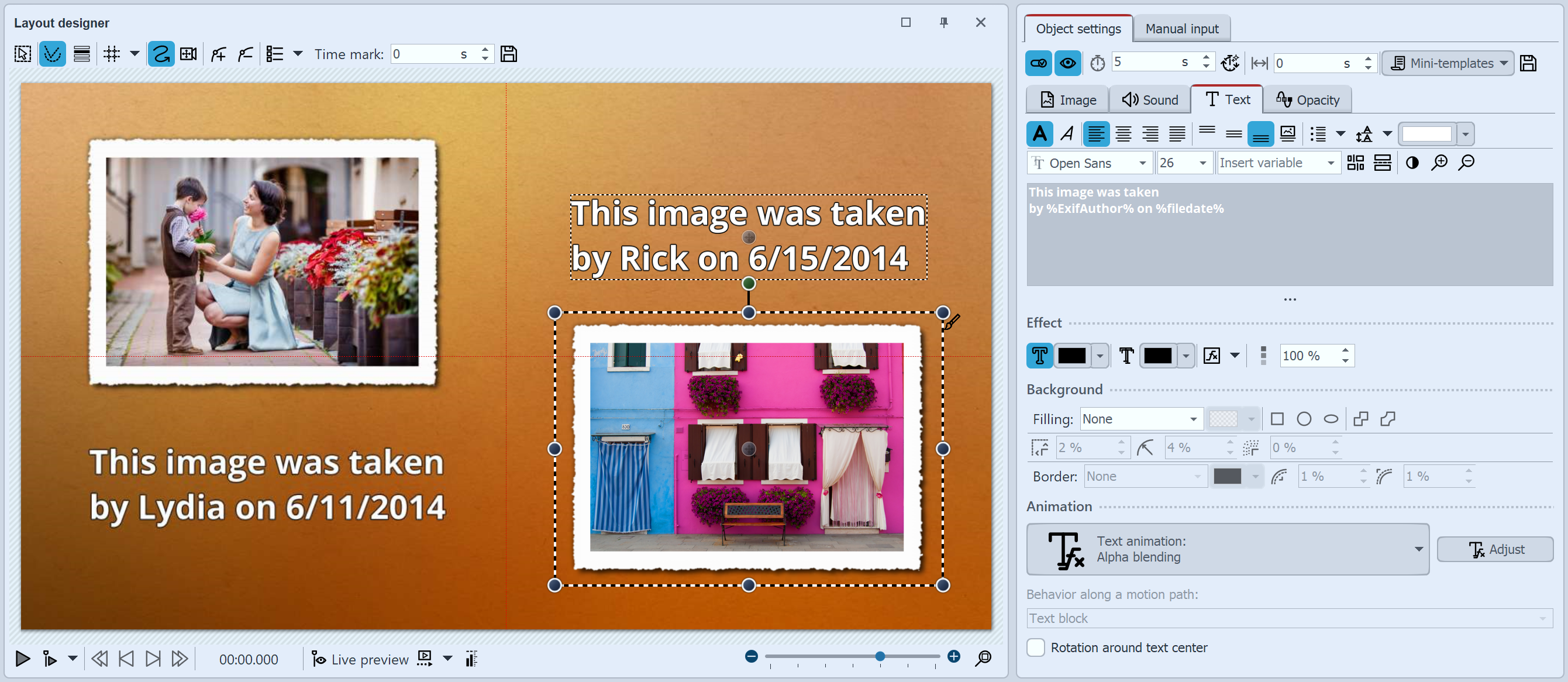
Text with variables in the Layout designer and in the text input field
You incorporate this information into your project using variables.
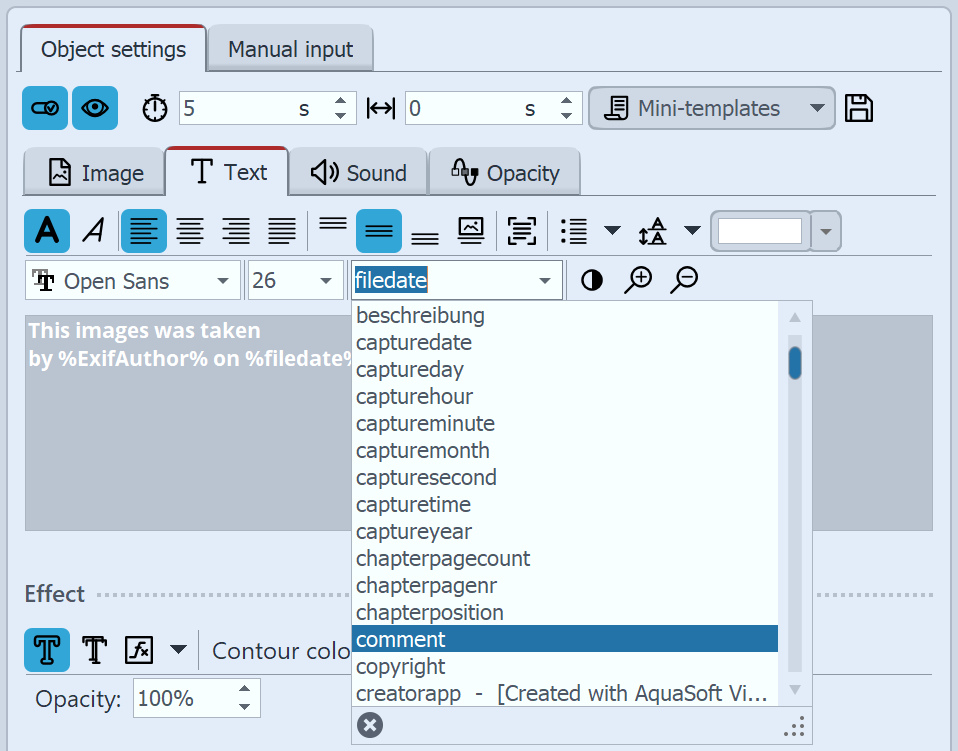 Inserting variables into a text box You can find a list of available variables in the Properties window under the Text tab. Once you have found the appropriate variable in the list, click on it to insert it. You can insert as many variables as you like within a text. |
If you have combined images from different photographers in your project, insert the variable %EXIFAuthor% in the Properties window under the Text tab for your images. If you want to do this for all images at once, press the Ctrl +A keys simultaneously, then enter the variable in the text field just once. This will then be applied to all images in the project.
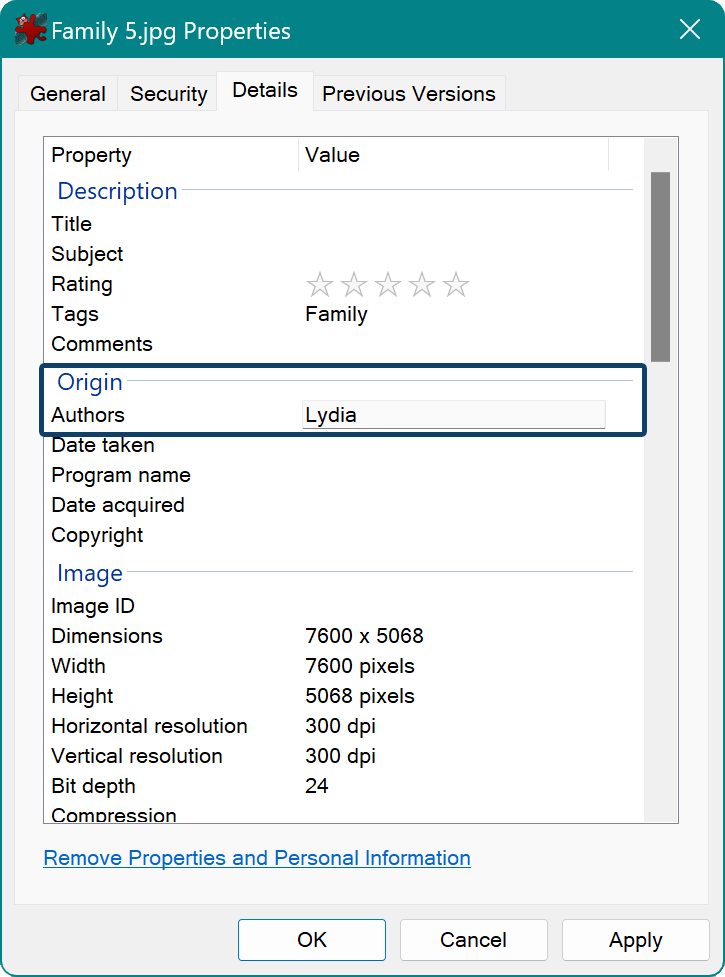 The camera can save the author of an image Using your camera, you can insert the author of an image directly into the Exif data. Many cameras allow you to enter your name in the internal menu. When you open the image on your PC and access its properties via the context menu, you will see your name listed under the "Author" section on the "Details" tab. Use in AquaSoft Vision and Stages the text field, use the variable %EXIFAuthor% if you want to identify the author. |
To use the variables as such, they must always be enclosed in percent signs.
%comment% |
inserts comments to the image |
%capturedate% |
adds a recording date of the photo |
%EXIFApertureValue% |
inserts used aperture value |
%date% |
Current date |
%filename% |
File name of the current image |
|
In the Video "EXIF- und IPTC-Daten mit Variablen auslesen" we'll show you how to use variables. |