|
<< Click to Display Table of Contents >> HDR effects |
  
|
|
<< Click to Display Table of Contents >> HDR effects |
|
VIDEO VISION STAGES With the following four HDR effects, you can modify your HDR images or enhance the visual quality of classic 8-bit SDR images. The effects can be applied to photos, videos, graphics, text objects, or even Flexi-Collage—either by inserting the content directly or during post-processing. You’ll find the effects Toolbox under the Objects tab in the Live Effects section.
|
HDR effects are only fully visible on HDR monitors and when the HDR playback setting is enabled, or when HDR video is output with 10-bit color depth. |
 HDR highlights Usethe HDR highlights effect to make small, bright areas of the image stand out against the diffuse white background. Examples include the sun or small reflections on the water, but not large areas such as a blanket of snow. |
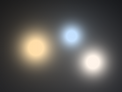 HDR bloom The HDR bloom effect makes bright areas glow with soft fringes of light or a halo—in HDR output, this extends all the way to the headroom without brightening the rest of the image. This effect can also be seen in non-HDR output, but the brightness of the highlights is limited to the maximum SDR brightness. |
 HDR sheen With the HDR sheen effect, a bright streak of light glides across text, a logo, or an image—extending all the way to the headroom during HDR playback or HDR output. |
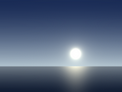 HDR upgrade The HDR upgrade effect expands the upper tonal range of SDR material into the headroom of the HDR output without dragging large areas along with it. |
- More information to follow -