Video CD and SuperVideo CD (VCD, SVCD)
Create video CDs and super video CDs, that are playable with commercially obtainable DVD-players, with just a few clicks. Naturally with animations, transitions, music and speech. Exactly like the way you designed the slide show on your PC.
|

|
|
Slide show CD
Naturally, as always, self-starting slide show CDs to be played on the PC can also be created. These CDs contain the images in full quality. This way you create spectacular gifts for friends and family in a twinkling of an eye.
|

|
|
Timeline
Up to now it has been difficult to match images and sounds exactly. With the timeline you receive a new tool that lets you arrange all objects synchronous, one after the other or shifted against each other. The timeline shows the exact position in the time flow of your slide show, so that synchronizing of images and music works accurately to the second.
|
|
|
Simultaneity
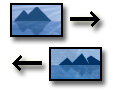
Over is the mere one-after-the-other of a conventional slide show. Through the parallel object any number of objects can be played synchronously or shifted against each other. This way you may let two photos fly into the screen at the same time over moving paths, wile a text animation binds the interest of the viewer. At the same time the background music fades a little bit, while your spoken comment steps into the foreground to say what can be seen. The timeline lets you control these sequences accurately to the second.
|
|
|
IntelliLoad
AquaSoft ® SlideShow XP five & Studio is based on the new IntelliLoad-technology, a intelligent preloading method developed by our own house. It is used to initialize the next object during internal delays. This way the show runs smoothly.
|

|
|
Animation
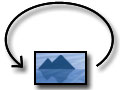
Aside from transitions AquaSoft ® SlideShow XP five & Studio offers the possibility to set detailed moving paths for objects like images or texts. This lets photos fly across the screen, if you want, even several at once. Combined with an 8Bit-alpha channel striking effects can emerge. An accurate time control of transparencies is also possible.
|
|
|
Rotations
With AquaSoft ® DiaShow Studio you can also rotate your pictures and texts. If you combine rotation with movement paths you will achieve impressive effects.
|
|
|
Transitions
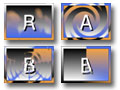
There are more than 40 impressive transitions, each of them can be configured in great detail. With the intelligent random selection hundredth of fantastic screen changes emerge.
|
|
|
EXIF-Data
Did you know, that your digital camera saves information like the capture date in your photos? AquaSoft ® SlideShow XP five & Studio gives you access to this EXIF-data and can even show it with your images. Just write for example "%CaptureDate%" in the image description field and the date will appear on the screen.
|

|
|
Background Music
AquaSoft ® SlideShow XP five & Studio manages a play list for your background music. Volume, duration, fade-in/fade-out/transition can be set for each piece of music. To see when which music will play look at the timeline. Together with the sound wizard this makes your presentation truly interesting. Add sound with a click of the mouse. If desired the background music even fades out while you speak.
|

|
|
Collages
Just one image at a time? That was yesterday! With AquaSoft ® SlideShow XP five & Studio you create complex collages from any images and texts.
|

|


|
Alpha Channel
Alpha channels (transparency information) are fully supported by AquaSoft ® SlideShow XP five & Studio (PNG-Image). Create impressive effects, collages with irregular borders or transparencies.
|

|
|
Image Editing
With the integrated image editing you can adjust and improve your pictures. Color, sharpness, turn, mirror, cut and effects - the most important features of an image editor are all inclusive.
|
|
|
Scanning
With the import wizard for scanner and digital camera you get your images onto your computer easily and comfortably. The wizard automatically takes care of saving and naming the images. You only have to change the image in the scanner.
|
|
|
