PowerPoint Wizard


|
PowerPoint Wizard |
|
|
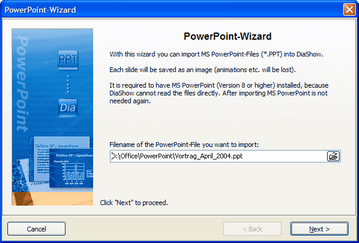
Using the PowerPoint wizard you can import your PowerPoint presentations into a slide show. MS PowerPoint (Version 8 or higher) has to be installed on your PC.
When importing each slide is saved as an image. All animations and effects will be lost.
Start the wizard through "Wizards" / "PowerPoint Wizard".
Enter the filename of the PowerPoint-file to be imported.
Then click "Next".
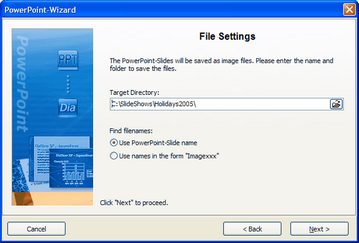
Enter a directory where the images are to be saved. You can use the filename of the slides or use the form "Imagexxx".
Click "Next".
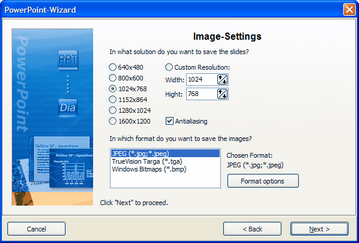
Now you can set the image options. Choose the desired solution and image format. In the format options you can make further settings to the image format.
Click on "Next" and then "Import". The slides will now be converted into images and added to your slide show. |
| Copyright © AquaSoft ® 1999-2007 www.aquasoft.de |