Saving custom presets


|
Saving custom presets |
|
|
After you got used to working with AquaSoft ® SlideShow XP five & Studio a little bit, a rich amount of possibilities for your own objects unclose. Because hereby the reuse of great compositions, hence time saving, is the issue. The principle is simple. You already know the different kinds of objects. Combined with your comments and settings they make up whole slide shows, or parts of shows. Some parts can only be used for this one slide show, in other parts there are elements that can be used more than once, or even generally. If you have such elements, you can easily create a new object.
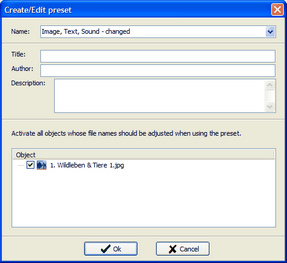
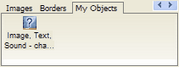
How it works: Select your objects and compositions in the image list and drag them into the toolbox afterwards. A window opens that offers the possibility for detailed description and labeling. The description will later appear as the balloon-text when you glide across the new object with the mouse pointer. Additionally you can set a title and author. To reuse the object in this or another slide show, click on the preset under "My Objects" in the toolbox.
|
| Copyright © AquaSoft ® 1999-2007 www.aquasoft.de |