|

The DiaShow-Master includes a number of slide show presets that make it easier to create a slide show.
You can choose images and music at lightning speed from which the program creates a slide show after you selected a style.
In  "File" / "New" / "Use DiaShow-Master" you can start the DiaShow-Master. "File" / "New" / "Use DiaShow-Master" you can start the DiaShow-Master.
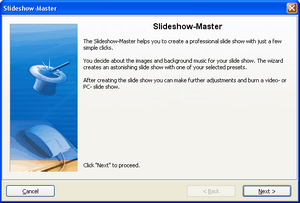
Click "Next" to start designing the slide show.
In the next step you add images through a click to the plus-symbol.
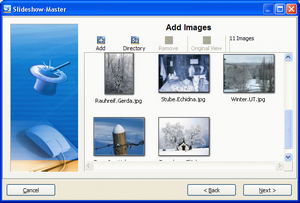
Now click "Next".
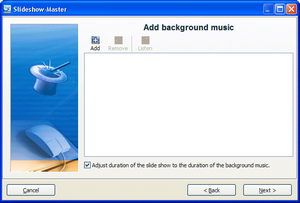
In the following dialog add some background music with the plus-symbol.

|
If the duration of the slide show should not be adjusted to the background music, remove the check from the box of this option. If the box is checked, the time each image is shown on the screen is adjusted to the length of the music.
|
Then click "Next".
Now you can choose the style preset.
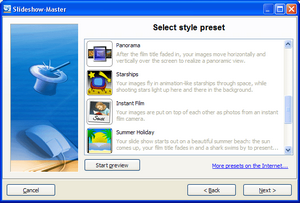
You can gain insight into the preset by clicking the button "Start preview".

|
For some presets you can enter custom data like film title etc. Just click directly on the data and enter your text.
|
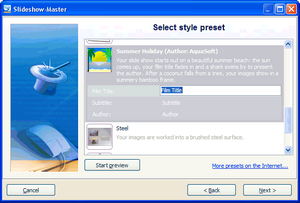
Now click "Next".
Now you can decide what the next step is going to be.
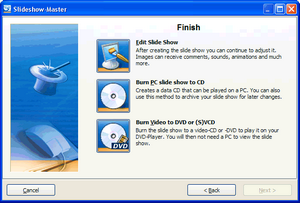
Edit Slide Show:
|
Opens the style preset with the images in AquaSoft ® SlideShow XP five & Studio for editing. You can now make individual changes.
|
Burn PC slide show to CD:
|
This option opens the CD Wizard and you can burn the show to CD or prepare it for handing it on. This CD can be played on a PC (not on a DVD-Player).
|
Burn Video to VCD, SVCD or DVD:
|
This option opens the Video Wizard. You can use it to burn a slide show to a video-CD or -DVD. The slide show has to be converted into a video first. This process may take some time. After that the (S)VCD, or DVD can be played on a DVD-Player. Please note that VCD and SVCD have to be written to a blank CD (not blank DVD).
|
|


